Dynamic attachments
 Specific
Dynamic content such as maps and camera streams can be displayed as part of a notification without needing to open an app.
Map
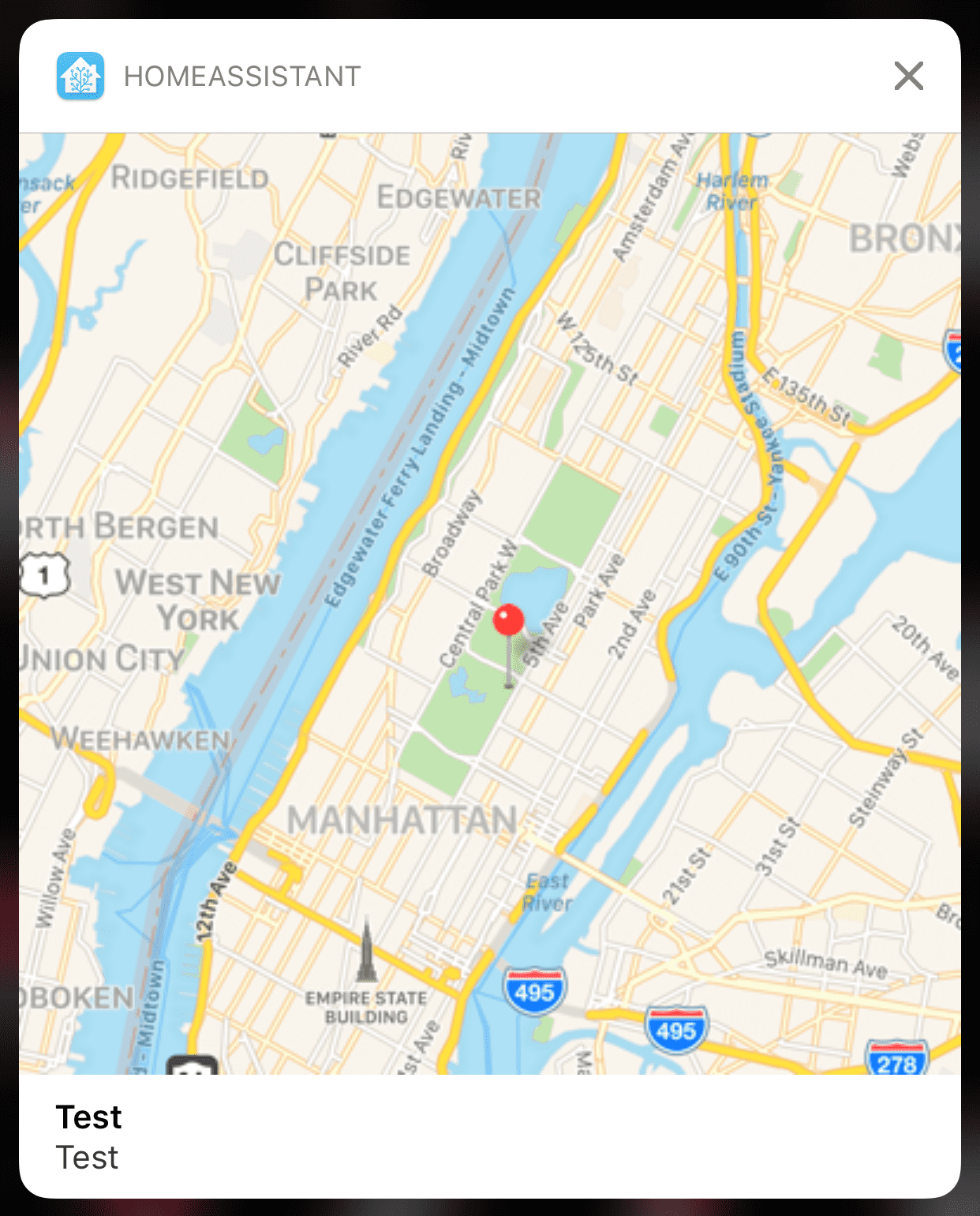
Will show a centered map with a red pin at the given coordinates.
action: notify.mobile_app_<your_device_id_here>
data:
  message: Something happened at home!
  data:
    action_data:
      latitude: "40.785091"
      longitude: "-73.968285"
Zoom level
In order to change the default zoom level of the map, the following properties under action_data can be used. If not set, a default value of 0.1 degrees will be used.
| Name | Type | Description |
|---|---|---|
latitude_delta: | string | The amount of north-to-south distance (in degrees) to display. |
longitude_delta: | string | The amount of east-to-west distance (in degrees) to display. |
Showing a second pin
You can use the following properties under action_data to display a second pin. If used, the first pin will be red and the second pin green.
| Name | Type | Description |
|---|---|---|
second_latitude: | string | The latitude of the second pin. |
second_longitude: | string | The longitude of the second pin. |
shows_line_between_points: | boolean | Displays a line connecting the first and second pin. |
Extra configuration
You can also pass the following option properties under action_data to modify the map in various ways. All options listed here accept boolean (true / false) values.
| Name | Type | Description |
|---|---|---|
shows_compass: | boolean | Displays a compass control on the map. |
shows_points_of_interest: | boolean | Displays point-of-interest (POI) information on the map. |
shows_scale: | boolean | Shows scale information on the map. |
shows_traffic: | boolean | Displays traffic information on the map. |
shows_user_location: | boolean | Attempts to display user's location on the map. |
Camera Stream
The preview thumbnail of the notification will display a still image from the camera. When expanded, the notification content displays a real time MJPEG stream if the camera supports it.
You can use the attachment parameters content-type and hide-thumbnail with camera to control the thumbnail.
action: notify.mobile_app_<your_device_id_here>
data:
  message: Motion Detected in the Living Room
  data:
    entity_id: camera.living_room_camera
Troubleshooting
If you are having problems with receiving these special notifications, try restarting your phone first. The extensions sometimes fail to register properly until a restart.